
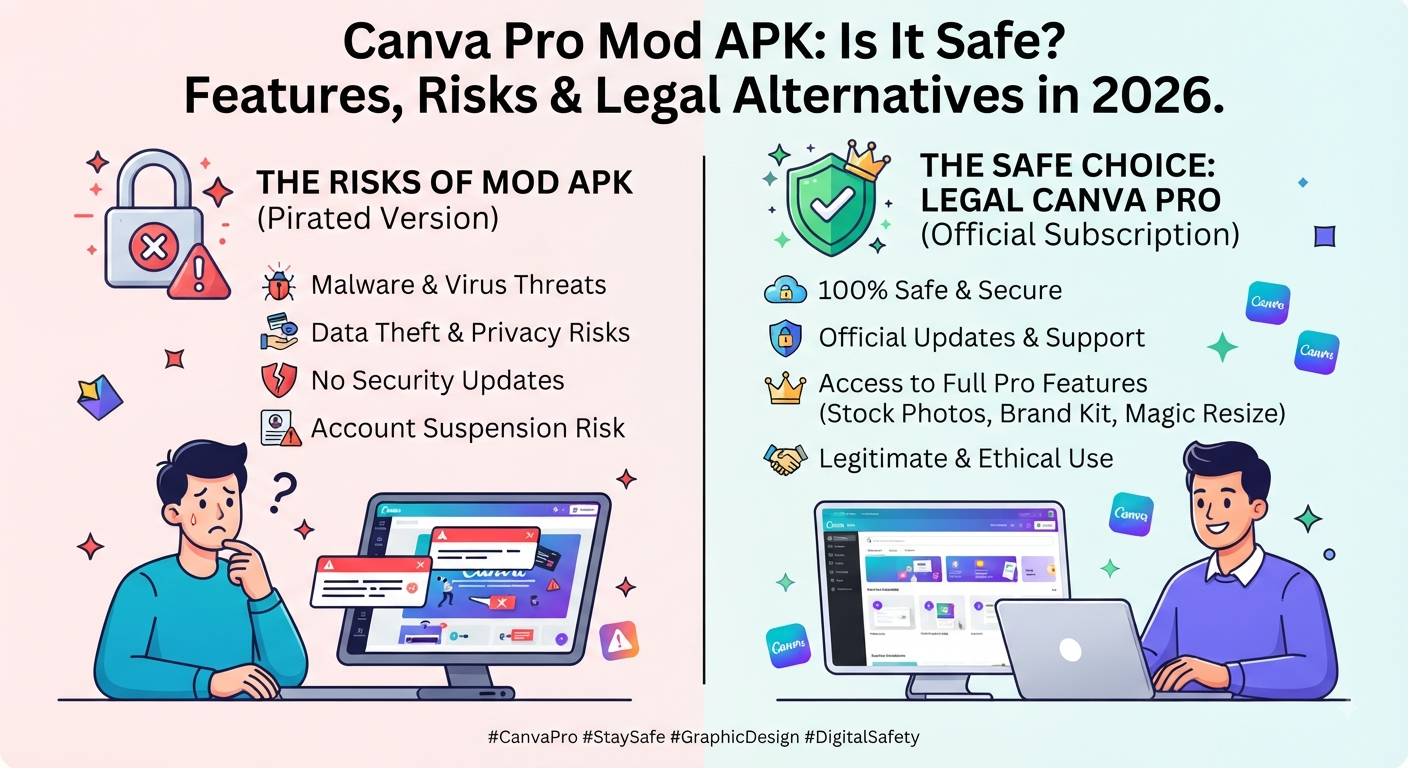
Quick Summary
If you are searching for Canva Pro Mod APK, you are probably looking for a way to access Canva Pro features without paying for a regular subscription.
You may have already seen searches such as Canva Pro APK download, Canva Pro free APK, Canva Pro unlocked APK, Canva Pro Premium APK, Canva Pro APK latest version, Canva Pro APK for Android, or Canva Pro APK without login.
But there is an important difference between finding an APK that claims to unlock Canva Pro and finding a method that is safe, reliable, and officially supported.
A Mod APK is an unofficially modified application. Canva’s current Terms of Use restrict modifying the Service and bypassing measures used to prevent or restrict access. Canva Terms of Use
Google also warns that apps installed from unknown sources can create security and privacy risks, while Google Play Protect checks apps for potentially harmful behavior. Google Play Protect
My honest recommendation: I would not install an unknown Canva Pro Mod APK on my main phone, especially if I use that device for personal accounts, business work, client projects, or sensitive information.
Key Takeaways
- A Canva Pro Mod APK is an unofficial modified Android application.
- It isn’t the same as the official Canva app.
- “Premium unlocked” doesn’t prove that an APK is safe.
- Canva’s current Terms restrict modification of its Service and bypassing access restrictions.
- Unknown APKs can create security and privacy concerns.
- Google Play Protect can scan applications installed from outside Google Play.
- A modified APK may stop working after Canva changes its service.
- Never give your Canva password, security code, cookies, or recovery details to an unknown APK provider.
- Canva Free is a legitimate alternative.
- Canva currently offers an official Pro trial for eligible users.
- Eligible students and teachers can investigate Canva’s education options.
- My personal editorial rating for an unknown Canva Pro Mod APK is 2/10.
Quick Answer
Is Canva Pro Mod APK safe?
I would not recommend it.
The problem isn’t that I can prove every Mod APK contains malware. The problem is that an unknown modified application cannot automatically be trusted simply because a download website says “safe,” “verified,” or “virus-free.”
Google specifically warns about the risks associated with applications from unknown sources. Google Android security guidance
Canva’s current Terms also restrict modifying the Service and bypassing measures designed to restrict access. Canva Terms of Use
My choice would be Canva Free, an official Pro trial, Canva Education if eligible, or a legitimate Pro subscription.
Who Is This Guide For?
I wrote this guide for people who are genuinely considering a Canva Pro Mod APK rather than simply looking for a definition.
It is particularly useful for:
- Android users
- Students
- Bloggers
- YouTubers
- Content creators
- Freelancers
- Social media managers
- Small businesses
- Designers
- People searching for Canva Pro free
- Users searching for Canva Pro APK download
- Anyone wondering whether Canva Pro Mod APK is safe
My goal here isn’t to tell you where to download a modified application.
It’s to answer the questions I would want answered before putting an unknown APK on my own device.
Introduction
I’ve noticed that searches around Canva Pro often go far beyond simply asking about Canva’s paid plan.
People search for:
Canva Pro Mod APK
Canva Pro unlocked APK
Canva Pro free APK
Canva Pro APK latest version
Canva Pro Premium APK
Canva Pro APK without login
Canva Pro APK without subscription
The attraction is understandable.
If you regularly create thumbnails, blog graphics, social posts, presentations, or marketing designs, Canva Pro features can be useful. So the idea of getting those features for free sounds appealing.
But when I look at an unofficial APK, I don’t only ask:
“Does it unlock premium features?”
I ask:
“Would I trust this application with my device and account?”
That’s where my opinion changes.
What Is a Canva Pro Mod APK?
An APK is the application package format used by Android.
A Canva Pro Mod APK generally refers to an unofficial version of the Canva Android application that has been modified to claim access to features normally associated with Canva Pro.
Third-party websites may advertise features such as:
- Premium templates
- Premium graphics
- Premium photos
- Background removal
- Premium fonts
- Brand tools
- AI features
- Unlimited exports
- “No subscription”
- “Lifetime access”
But there’s a big difference between a website making these claims and independently knowing what is actually inside the application.
That is my biggest concern.
Canva Pro Mod APK vs Official Canva App
The easiest way to understand the difference is to look at the source.
| Official Canva App | Canva Pro Mod APK |
|---|---|
| Official distribution | Third-party distribution |
| Original software | Modified software |
| Normal update process | Updates may be uncertain |
| Official account environment | Unofficial modification |
| Predictable source | Source may be difficult to verify |
| Suitable for normal use | Not something I recommend |
A Mod APK isn’t simply a discounted Canva subscription.
It is modified software.
Why Do People Search for Canva Pro Mod APK?
There are a few obvious reasons.
Premium features
People may want access to premium templates, graphics, photos, or editing tools.
Cost
Students and beginners may not want another paid subscription.
Convenience
A website promising “one-click Pro” can appear easier than subscribing.
Search results
There are many pages targeting phrases such as Canva Pro free APK and Canva Pro unlocked APK.
But ranking for a keyword doesn’t make a website an official source.
That’s something I think users often overlook.
Is Canva Pro Mod APK Legal?
This isn’t something I’d reduce to a simple worldwide “yes” or “no.”
Software laws differ by country and circumstances.
However, Canva’s current Terms of Use are important.
Canva states that users must not modify the Service, create derivative works from it, or bypass measures used to prevent or restrict access. Canva Terms of Use
So I would not describe a modified Canva APK as an official or authorized Canva Pro method.
If you need legal advice about software modification or copyright in your specific country, speak with a qualified legal professional.
Is Canva Pro Mod APK Safe?
My answer: I wouldn’t trust an unknown one.
This is where I want to be precise.
I’m not saying every APK available online is malicious.
I’m saying that when the application has been modified and distributed by an unknown third party, you don’t automatically know:
- What was changed
- Who changed it
- What permissions were added
- Whether tracking was added
- Whether credentials could be targeted
- Whether the application is still compatible
- Whether the download source is trustworthy
Google warns that apps installed from unknown sources can expose users to security and privacy risks. Google Android security guidance
For me, that uncertainty is enough to say no.
Can Canva Pro Mod APK Contain Malware?
Potentially, yes.
But I wouldn’t make the irresponsible claim that every Canva Mod APK contains malware.
The actual issue is that third-party modified software can contain changes that you cannot easily verify.
Google Play Protect checks applications, including apps installed from sources outside Google Play, for potentially harmful behavior. Google Play Protect
That’s one reason I wouldn’t turn off Play Protect just to install an unofficial Canva APK.
Can Canva Pro Mod APK Steal Your Canva Account?
A malicious application could potentially create credential or privacy risks.
However, you shouldn’t claim that every Mod APK steals accounts unless you have evidence.
The practical rule is much simpler:
Don’t give your main Canva credentials to an unknown application or website.
That means don’t provide:
- Passwords
- Verification codes
- Recovery codes
- Browser cookies
- Session tokens
- Email passwords
If an APK website asks for those things, I’d leave the site.
Is Canva Pro APK Without Login Safe?
You may see claims for Canva Pro APK without login.
That sounds reassuring, but it isn’t enough.
“No login” only tells you something about the login requirement.
It doesn’t tell you:
- What code was added
- What permissions the app requests
- What servers it contacts
- Whether it contains unwanted software
- Whether it will continue working
So my rule is:
No login does not automatically mean safe.
What Features Does Canva Pro Mod APK Claim to Unlock?
Different websites make different claims.
Common claims include:
- Canva Pro premium templates
- Premium stock content
- Background remover
- Premium fonts
- Brand tools
- AI features
- Unlimited exports
- Premium elements
- No subscription
- Lifetime access
Canva’s official Pro offering itself includes premium content, brand tools and AI-powered features, so it’s easy to see why these keywords attract users. Canva Pro
But a third-party APK claiming to unlock those features doesn’t automatically make those claims trustworthy.
Does Canva Pro Mod APK Really Work?
Some unofficial applications may appear to work for a period of time.
But “works” and “safe” are two completely different questions.
A modified application can stop working when:
- Canva changes its backend
- Authentication changes
- Server-side checks change
- The app becomes outdated
- The modification breaks
- The third-party developer stops maintaining it
That’s why I wouldn’t use one for work that I can’t afford to lose access to.
What Does Canva Pro Mod APK Latest Version Mean?
You’ll often see:
Canva Pro Mod APK Latest Version 2026
Don’t automatically interpret this as meaning the APK is the latest official Canva application.
The third-party publisher controls the label.
The file may be:
- Based on an older version
- Modified after release
- Reuploaded
- Renamed
- Incompatible with current Canva services
If you need the latest official version, use Canva’s official distribution channel.
What About Canva Pro APK Download Websites?
A website offering Canva Pro APK download isn’t automatically trustworthy.
Some warning signs I’d watch for are:
- Several fake download buttons
- Aggressive redirects
- Excessive pop-ups
- Browser notification prompts
- Requests for passwords
- Requests to disable security
- Unknown extensions
- Forced app installations
- “Human verification” requiring unrelated software
- Guaranteed “lifetime” Pro claims
One warning sign isn’t conclusive.
Several together are enough for me to leave the page.
Should You Disable Google Play Protect?
No.
If a website says:
“Disable Play Protect before installing Canva Pro Mod APK.”
I’d treat that as a serious warning sign.
Google Play Protect is designed to help identify potentially harmful applications, including apps installed outside Google Play. Google Play Protect
I wouldn’t weaken my phone’s security simply to install an unofficial premium app.
What About Canva Pro Mod APK for Android?
This is the most common form because APK is Android’s application package format.
But your phone brand doesn’t change the underlying issue.
Whether you use:
- Samsung
- Xiaomi
- OnePlus
- Pixel
- Motorola
- Oppo
- Vivo
- Realme
an unknown APK remains third-party software.
What About Canva Pro Mod APK for PC?
Be careful with this search.
APK means Android application package.
So if a website claiming to offer a “Canva Pro Mod APK for PC” asks you to download an .exe, browser extension, emulator, or other Windows software, you’re dealing with something different.
Don’t install an unrelated Windows program simply because the download page uses the Canva name.
What If a Website Says the Canva Mod APK Is 100% Safe?
I wouldn’t rely on the wording.
A website can describe a file as:
- 100% safe
- Verified
- Virus-free
- Original
- Trusted
- Secure
- Latest
- Tested
Those are still claims made by the publisher.
The label itself isn’t independent verification.
What About Canva Pro Mod APK for Students?
If you’re a student, I’d check official education access before considering a modified APK.
Canva states that eligible K–12 students and educators can access Canva Education for free. Canva Education
That makes far more sense than putting an unknown application on your phone.
University students should also check whether their institution provides Canva through an education or campus program.
Is There a Free Official Canva Option?
Yes.
Canva provides a free plan, and Canva currently promotes a Pro free trial for eligible users. Canva Pro
If your only goal is to test premium features, I’d check the official trial before searching for a Mod APK.
That is a much cleaner approach.
Canva Free vs Canva Pro Mod APK
| Canva Free | Mod APK | |
|---|---|---|
| Official | Yes | No |
| Free | Yes | Claims to be |
| Modified software | No | Yes |
| Security uncertainty | Lower | Higher |
| Official updates | Yes | Uncertain |
| Account reliability | High | Uncertain |
| Professional use | Suitable | Not recommended |
| My rating | 10/10 | 2/10 |
For basic users, Canva Free is honestly the option I’d choose.
There’s no reason to complicate a simple design workflow if the free plan already does what you need.
Canva Pro vs Canva Pro Mod APK
| Official Canva Pro | Mod APK | |
|---|---|---|
| Official | Yes | No |
| Premium access | Official | Claimed |
| Updates | Official | Uncertain |
| Account reliability | High | Uncertain |
| Security confidence | Higher | Lower |
| Professional workflow | Suitable | Not recommended |
| My rating | 9.5/10 | 2/10 |
This is why I don’t see a Mod APK as a genuine alternative to Canva Pro.
It’s an unofficial shortcut with additional uncertainty.
My Personal Canva Pro Experience
This is the part I would emphasize on your website because it makes the article feel different from generic APK articles.
My approach to Canva has always been practical rather than simply chasing every premium feature.
For normal content creation, Canva Free can already handle a surprising amount of work.
When creating website graphics, social media designs, thumbnails, and other content, the decision for me isn’t:
“How can I unlock everything for free?”
It’s:
“Which Canva setup gives me the least friction while keeping my work reliable?”
That’s why I prefer legitimate Canva access.
If I’m working on something important, I don’t want to wonder whether an unofficial application will stop working tomorrow or whether I should trust the person who modified it.
What I like about Canva
- Easy learning curve
- Large design ecosystem
- Useful templates
- Good workflow for content creators
- Convenient for social media and website graphics
- Strong option for non-designers
What I don’t like
- Some useful features are behind paid plans
- Premium content can be tempting when you’re using the free plan
- Beginners can sometimes assume they need Pro when Free would actually be enough
My overall view
Canva Pro: 9.5/10 for regular creators.
Canva Free: 10/10 for basic users.
Canva Pro Mod APK: 2/10.
I would much rather use a legitimate free plan than install an unknown modified application just to unlock features I may not actually need.
My Honest Review of Canva Pro Mod APK
My rating is 2/10.
Why not 1/10?
Because I understand why people search for it.
The appeal is obvious.
But as a recommendation for readers, I don’t think the trade-off is worth it.
You’re potentially exchanging:
A paid feature
for:
Unknown software + uncertain source + possible security concerns + unreliable updates + account concerns.
For me, that’s not a good trade.
Would I install one on my main phone?
No.
Would I recommend one to a client?
No.
Would I choose one over Canva Free?
No.
Would I choose one over an official Canva trial?
Definitely not.
That’s my honest conclusion.
What Are the Safe Alternatives to Canva Pro Mod APK?
Canva Free
Best for basic and occasional users.
Official Canva Pro Trial
Best for testing premium functionality before deciding whether Pro is worth paying for. Canva Pro
Canva Education
Eligible K–12 students and teachers should check Canva Education. Canva Education
Institutional Access
Students should check whether their school, college, or university provides Canva.
Personal Canva Pro
For frequent creators, freelancers, bloggers, and businesses, an account you control is the most reliable approach.
What If You Already Installed Canva Pro Mod APK?
If you already installed one, don’t panic.
Take some sensible steps.
1. Stop using it
Don’t enter additional sensitive information.
2. Uninstall the application
Remove the unofficial APK from your device.
3. Run Play Protect
Use Google Play Protect to check the device and installed applications. Google Play Protect
4. Review permissions
Check what access the application was given.
5. Change important passwords if necessary
If you entered credentials into an untrusted application, change those credentials from a trusted environment.
6. Watch for unusual activity
Pay attention to unexpected login notifications or other suspicious account activity.
How to Identify a Suspicious Canva Pro APK
Before installing any third-party APK, ask:
- Who published it?
- Where did the file come from?
- Has the application been modified?
- What permissions does it request?
- Does it ask for my Canva password?
- Does it request cookies or verification codes?
- Does it ask me to disable Play Protect?
- Does it force additional downloads?
- Does it promise lifetime access?
- Is there an official alternative?
If the answers don’t make you comfortable, don’t install it.
Is Canva Pro Worth Paying For?
For some people, yes.
For others, no.
If you’re creating one design every few weeks, Canva Free may be sufficient.
If you’re producing:
- Blog graphics
- YouTube thumbnails
- Social media content
- Presentations
- Brand assets
- Marketing material
every week, Pro can become much more useful.
Canva currently positions Pro around premium content, brand tools, AI-powered features, and professional content creation. Canva Pro
My rule
Don’t buy Pro because someone tells you that you need it.
Use Canva Free first.
If you repeatedly hit limitations and those limitations genuinely affect your workflow, then consider Pro.
Frequently Asked Questions
Is Canva Pro Mod APK safe?
I don’t recommend unknown Canva Pro Mod APK files because their source and modifications cannot automatically be trusted. Google warns about risks associated with apps from unknown sources. Google Android security guidance
Is Canva Pro Mod APK legal?
The legal position varies by jurisdiction and circumstances. Canva’s current Terms restrict modifying the Service and bypassing access restrictions. Canva Terms of Use
Is Canva Pro Mod APK free?
Third-party websites may advertise modified APKs as free, but that does not make them official Canva products.
Does Canva Pro Mod APK really work?
Some modified applications may appear to work temporarily, but that doesn’t establish that they are safe, authorized, or reliable.
Can Canva Pro Mod APK steal my account?
A malicious application could create credential risks. Never enter your Canva password, security codes, cookies, or recovery details into an unknown APK or website.
Can Canva Pro Mod APK contain malware?
Potentially. Google Play Protect checks applications, including apps installed from outside Google Play, for potentially harmful behavior. Google Play Protect
Is Canva Pro APK without login safe?
No-login access doesn’t prove that the APK itself is safe. The software could still contain unwanted modifications.
What is Canva Pro APK latest version?
Third-party sites may label files as the “latest version,” but that doesn’t independently establish that the file is the latest official Canva release.
What is Canva Pro unlocked APK?
It generally refers to an unofficially modified APK claiming to unlock Canva Pro features.
What is Canva Pro Premium APK?
It’s another phrase commonly used by third-party websites for modified Android packages claiming to provide premium Canva features.
Is Canva Pro APK for Android safe?
An APK from an unknown source should be treated cautiously. Google warns about risks associated with unknown-source applications. Google Android security guidance
Can I get Canva Pro free officially?
Canva offers a free plan and currently promotes a Pro free trial for eligible users. Canva Pro
Is Canva Pro free for students?
Eligible K–12 students can check Canva Education. Canva Education
Should I download Canva Pro Mod APK?
My recommendation is no. Use Canva Free, an official trial, an eligible education program, or a legitimate Canva subscription.
Should I disable Play Protect to install Canva Pro Mod APK?
No. Google recommends Play Protect as part of Android’s security protections. Google Play Protect
What should I do if I already installed a Canva Mod APK?
Uninstall it, run a Play Protect scan, review its permissions, and change important credentials if you entered them into an untrusted application.
Is Canva Pro Mod APK available for PC?
An APK is an Android application package. Be careful if a website uses “Mod APK” branding but asks Windows users to download an unrelated executable or extension.
Is Canva Pro lifetime free?
Be skeptical of third-party “lifetime free” claims. A modified application isn’t equivalent to an official permanent Canva subscription.
Final Verdict
After looking at the entire Canva Pro Mod APK search intent, my answer is simple:
I wouldn’t use it.
I understand the attraction of getting premium features without paying. But for me, the potential benefit doesn’t outweigh the uncertainty around an unofficial modified application.
Canva’s current Terms restrict modifying the Service and bypassing access restrictions. Canva Terms of Use
Google also warns about the risks associated with apps from unknown sources and provides Play Protect to help identify potentially harmful applications. Google Android security guidance Google Play Protect
For me, the better path is:
Canva Free → Official Pro Trial → Education/Institutional Access if eligible → Legitimate Pro subscription.
My Final Ratings
| Option | Rating |
|---|---|
| Canva Free | 10/10 |
| Official Canva Pro Trial | 10/10 |
| Canva Education if eligible | 10/10 |
| Legitimate Canva Pro | 9.5/10 |
| Unknown Canva Pro Mod APK | 2/10 |
My biggest takeaway: free premium access isn’t automatically a good deal. I would rather have reliable, legitimate Canva access than save money by installing software I can’t confidently trust.
Editorial Note
This is an independent guide and review. We are not Canva and are not affiliated with, sponsored by, or endorsed by Canva.
We do not distribute Canva Pro Mod APKs, cracked applications, stolen accounts, passwords, cookies, access codes, or unauthorized premium access.
The purpose of this article is to explain the search intent around Canva Pro Mod APKs, discuss potential security and account concerns, and explain legitimate alternatives.
Canva’s plans, features, policies, and pricing may change. Verify current information through official Canva resources before making an account or subscription decision.